SX Booking shows your free slots on a page of your own. When someone books, the lead, the calendar event, the meeting room and the confirmation are created together. It is live on Simbotix's own site. There is no public sign-up.

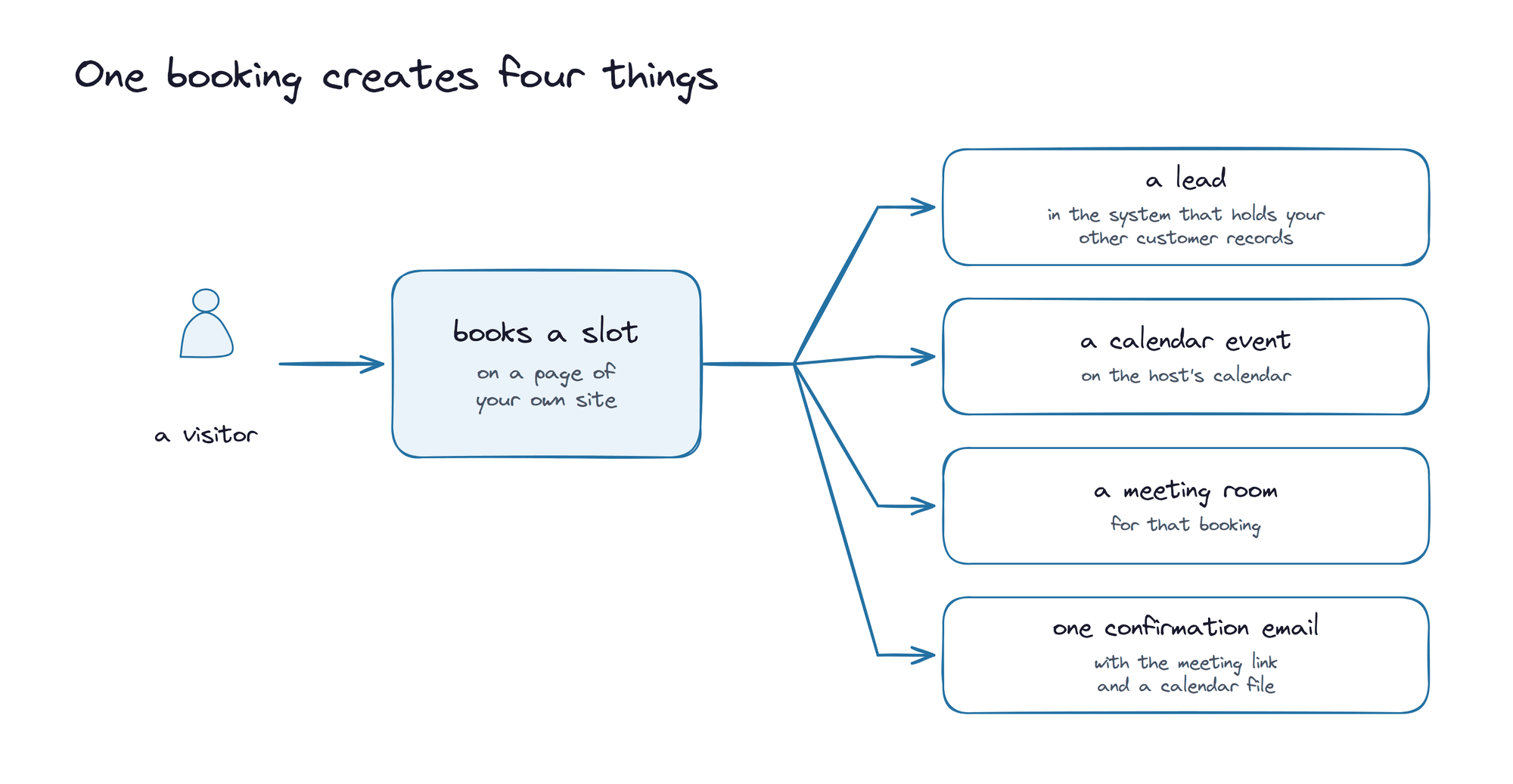
A booking produces several things: a record of who booked, a calendar event, a meeting link and a confirmation. SX Booking keeps the page and everything a booking produces on your own site.
Visitors book at an address on your own office site, and the booking is stored there.
Each booking is linked to a lead in the same system that holds your other customer records.
The visitor gets one confirmation email. It already carries the meeting link and a calendar file.
Each kind of meeting is a booking type with its own length, working hours, gaps before and after, minimum notice, how far ahead it can be booked, and questions to ask the visitor.
The page shows free slots in the visitor's own time zone.
A booking creates the link to a lead, an event on the host's calendar, a meeting room for that booking, and the confirmation email.
Free time is worked out from every confirmed booking of every type together with the host's calendar events. All-day events block time only if you switch that on.
Reminders go out before the meeting, 24 hours and 1 hour ahead unless you change it. Each carries the meeting link.
The visitor changes or cancels a booking from a private link in the email. They need no account.
The same slot picker works on the office site and on any other site the business runs. All of them book into one calendar.
A public page lists the booking types you choose to show, and each type has a page of its own.
The picker can be added to another website the business runs.
SX Booking is live on Simbotix's own office site. The bookings on record are our own tests, made on the days it was being proven. It has no public sign-up. The counts below were taken from that site on 12 November 2026.
| Piece | Stage | What that means |
|---|---|---|
| Public booking pages | Deployed | Live on Simbotix's own office site and answering on 12 November 2026. 10 booking types are enabled there, 1 of them listed on the public page. |
| Booking from other sites | Deployed | The picker is on Simbotix's five brand sites as of 12 November 2026. Our own test bookings came through it from two of them on 25 and 26 October 2026; all were cancelled afterwards. |
| The booking pass | Deployed | 8 bookings are on record, all our own tests, made on 25 and 26 October 2026, the days it was being proven. Each one produced a lead, a calendar event, a meeting room and a confirmation email. All 8 were cancelled afterwards. |
| Copy to an outside calendar | Deployed | The calendar event for each of those 8 bookings is on the connected outside calendar. The first ones were copied after a fault in the calendar connection was fixed on 25 October 2026. |
| Reminders | Deployed | The 24-hour reminder went out on some of those bookings on the live site. No 1-hour reminder is on record yet. |
| Slot and link logic | Proven in testing | 13 automated tests cover slots, the signature on the private links, calendar files and reminders. They passed when we ran them on 12 November 2026. |
| Reschedule and cancel links | Proven in testing | Both were proven end to end on our test site on 23 October 2026. All 8 bookings on the live site were cancelled; no reschedule is on record there. |
| Linking a recording to a booking | Built | Built. No booking has a recording linked yet. |
| Copy to a phone calendar | Built | A copy into a phone calendar is built. It needs a separate add-on, which is not installed on our site, and no phone has read it yet. |
| Public sign-up | None | There is no public sign-up, trial or price list. |
There is no public sign-up. Tell us how you take bookings today and we will tell you whether SX Booking fits.